Nothing to install: the program and storage run with us
There are two options: install the program on your side — data stays in your company, or work on our server — install nothing. In the second case we run a program copy and a PostgreSQL database for your company, and you open the panel at an address like https://company.data.charts.uz.
from $10 per month for 10 GB
1СBILLZPostgreSQLHTTPSPower BIBefore → after
| Own server | Our server | |
|---|---|---|
| Server and admin | your own | not needed |
| Launch | days | a minute |
| Updates and backups | yourself | done by us |
| Storage | buy upfront | 10 GB and grows |
| Billing | server + key | monthly in your account |
Before
- No server or admin of your own to keep the program and database running 24/7.
- Buying a server "to grow into" is expensive while data is still small.
- Unclear monthly cost of running a server.
After
- Server, updates, HTTPS and backups are on us. You open the panel in a browser.
- Start with 10 GB and add space when needed — you pay only for the remaining days.
- A clear price: a 10 GB package per month plus 10 GB steps. Auto-renew from the balance.
How it works
- 1
Request
Leave a request — we create your company on the server in a minute.
- 2
Panel
Get the panel address and admin password. Storage is already connected.
- 3
Sources
Connect 1C (via external IP, read-only), BILLZ or spreadsheets.
- 4
Reports
We build Power BI reports, or your BI specialist gets database access.
What it looks like in the program
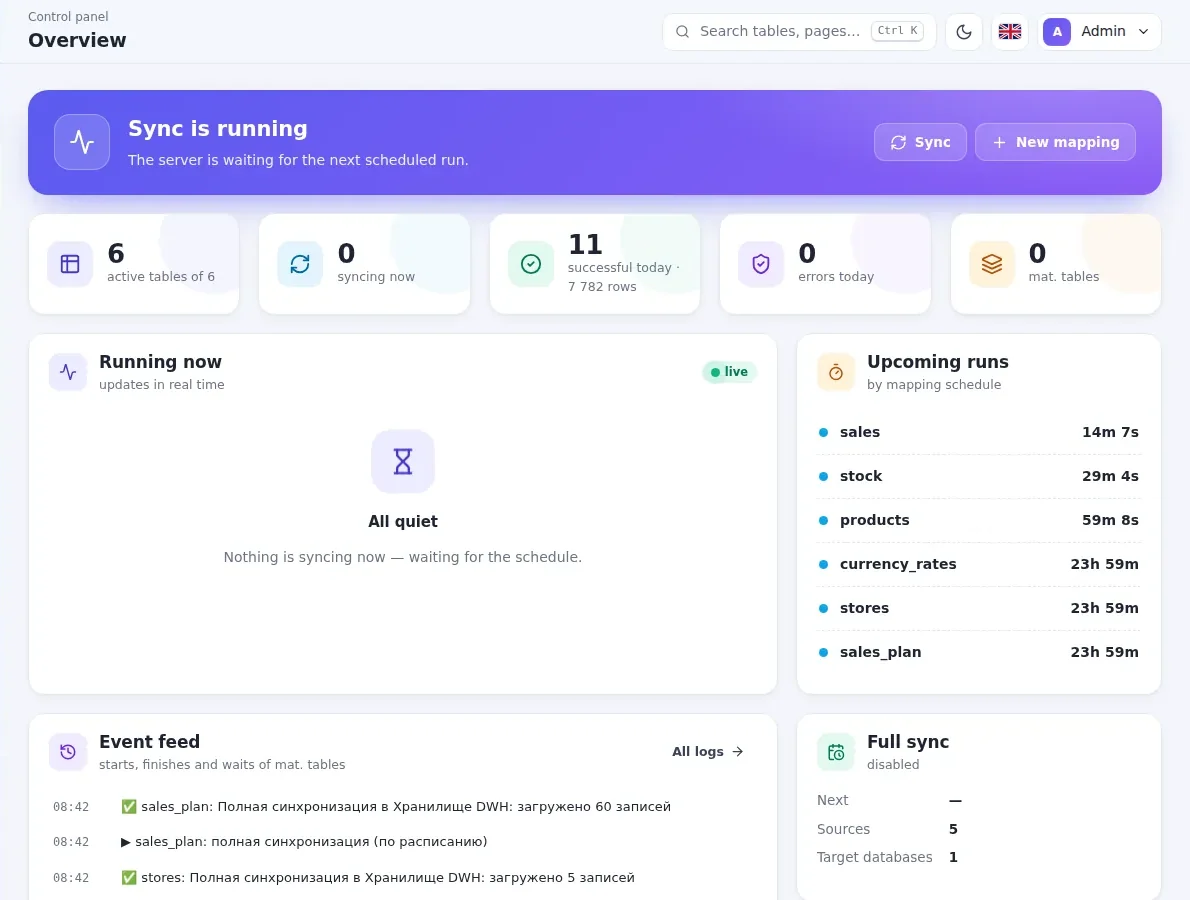
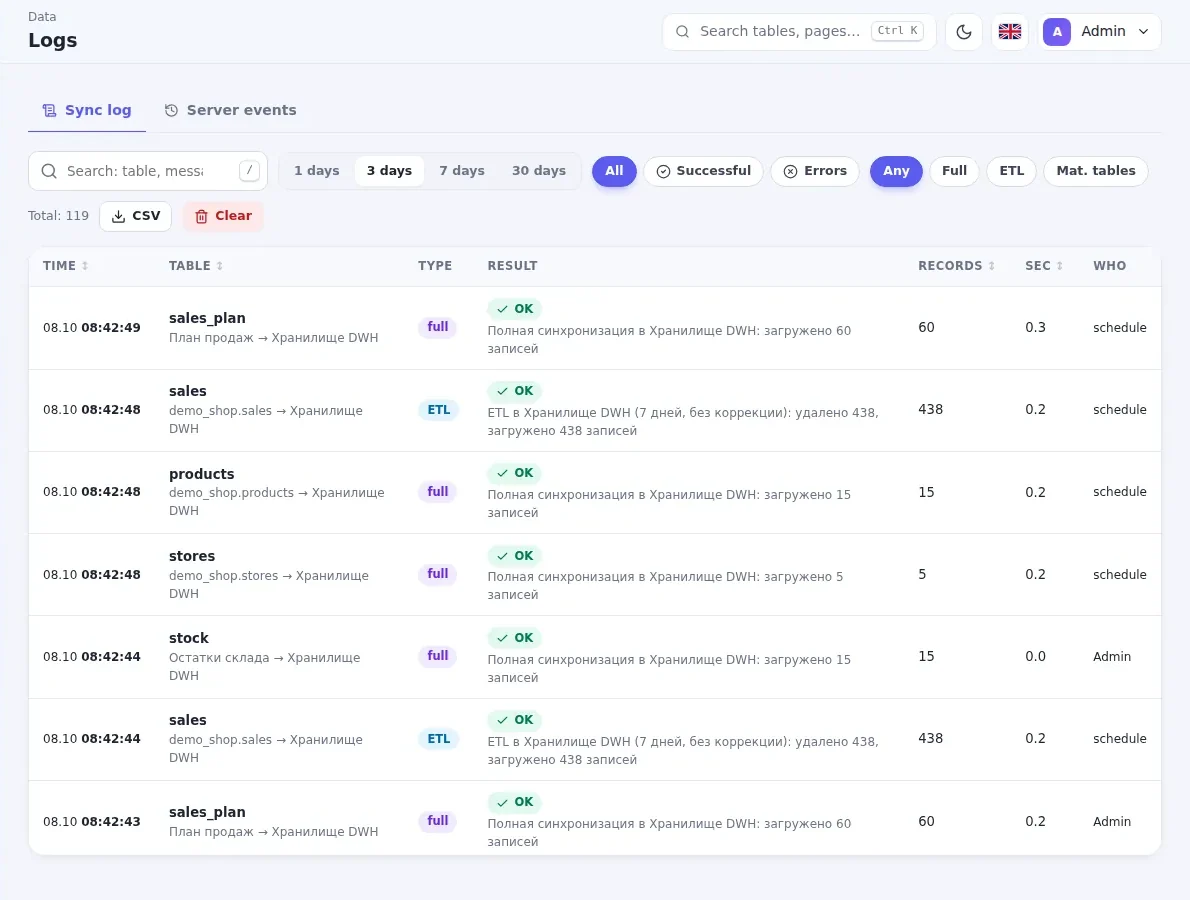
What you get
From a browser
The company panel over HTTPS — from work, home or phone.
Your own database
A separate PostgreSQL database per company — others' data is closed.
Isolation
Each company in its own container; the server's internal network is closed.
Monthly billing
Storage and key in your account; any term and auto-renew.
Grows with you
10 → 20 → 50 GB with one button; pay only for the remaining days.
Always up to date
We install program updates ourselves.
Frequently asked questions
Can we keep data on our side?
How does our 1C connect to your server?
What if storage is not renewed?
Can we move to our own server later?
Related articles
How to connect Power BI to 1C: 3 ways and which one to choose
Three ways to get 1C data into Power BI: Excel exports, a direct SQL connection and a separate warehouse. Pros, cons and what to choose.
ReadWhy 1C reports are slow and how to move analytics to a separate database
A yearly sales report takes minutes and accounting complains about freezes? Here are the causes and how to move analytics out of 1C into a separate...
ReadOther solutions
Power BI on 1C data — in one day
Connect Power BI and Tableau to 1C data: ETL Sync moves catalogs, documents and registers into a SQL warehouse on schedule, with readable table...
1СPower BITableauMS SQLPostgreSQL Learn more ETL for 1C1C to SQL and PostgreSQL — automatically
ETL for 1C: catalogs, documents, tabular sections and registers are copied to MS SQL Server or PostgreSQL on schedule, changes only, with readable...
1СMS SQLPostgreSQLMySQL Learn more BILLZ · Power BIBILLZ analytics in Power BI and SQL
ETL Sync pulls sales, stock, products and stores from BILLZ via API into your SQL database. Power BI reports across the whole store network —...
BILLZPower BIMS SQLPostgreSQLTelegram Learn more Google Sheets · Excel · CSVGoogle Sheets and Excel — into SQL, by themselves
Sales plans, budgets and reference lists from Google Sheets, Excel and CSV go to MS SQL Server or PostgreSQL on schedule. Column types are...
Google SheetsExcelCSVMS SQLPostgreSQL Learn moreLeave a request
We will call you back within a business day, show the program and help you install it.