Power BI on 1C data — in one day
ETL Sync reads the 1C database and copies the tables you need into your MS SQL or PostgreSQL warehouse on schedule — with readable names instead of _Reference123. Power BI connects to the warehouse and reports on fresh data.
1СPower BITableauMS SQLPostgreSQLBefore → after
Before
- Power BI reports are built from manual 1C exports to Excel every day.
- 1C tables in SQL are called _Document531 and _Fld5011RRef — impossible to read.
- Heavy analyst queries on the live database slow 1C down for accounting.
After
- Data refreshes on schedule — even every 5 minutes. Open the report, the numbers are fresh.
- The program reads the 1C structure itself: tables and columns get readable names.
- Reports run on a separate warehouse. 1C only hands over changes.
How it works
- 1
Connect the 1C database
Point to the MS SQL or PostgreSQL server holding the 1C database. A read-only login is enough.
- 2
Pick tables
Products, sales, stock — search by name. The program suggests the refresh mode.
- 3
Turn on the schedule
Only changed rows — in seconds. A full check — at night.
- 4
Connect Power BI
Power BI or Tableau connect to the warehouse as to any SQL database.
What it looks like in the program
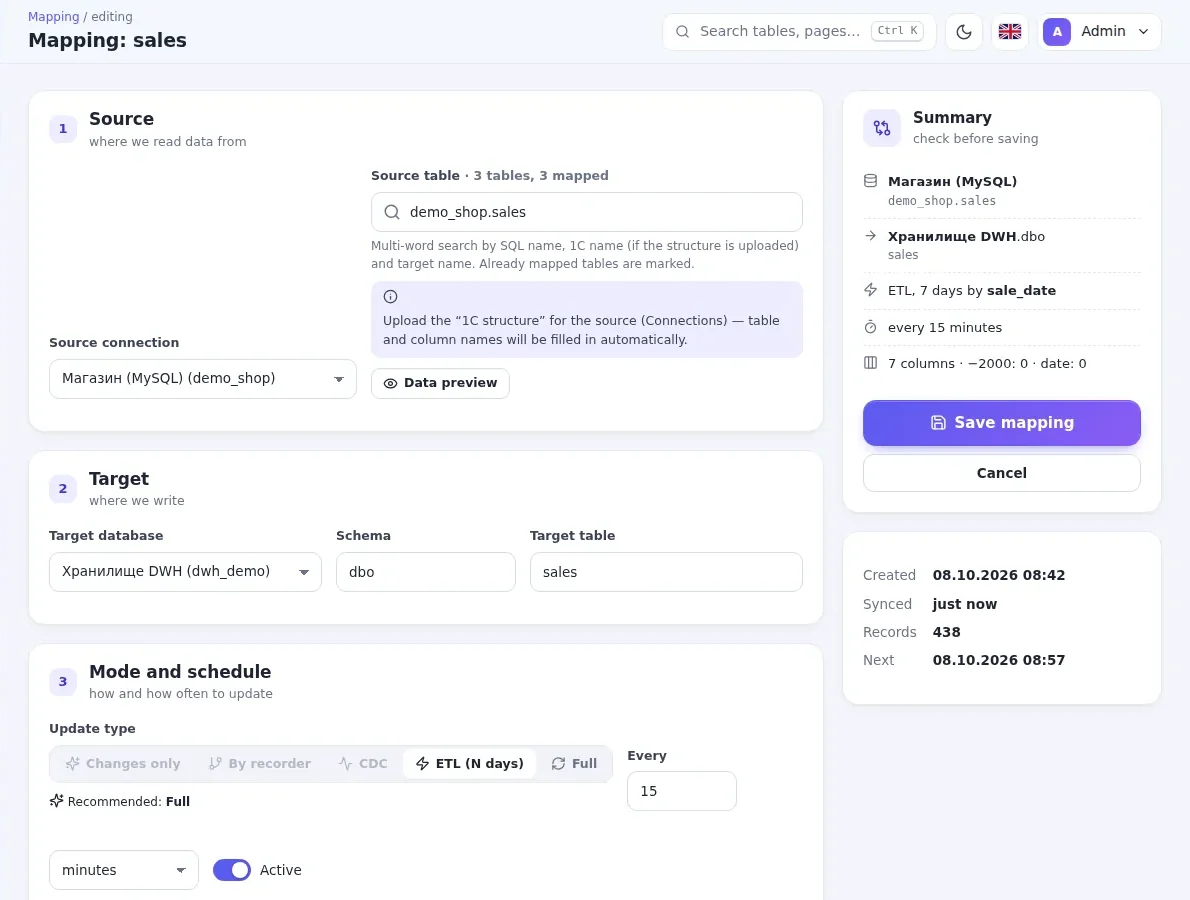
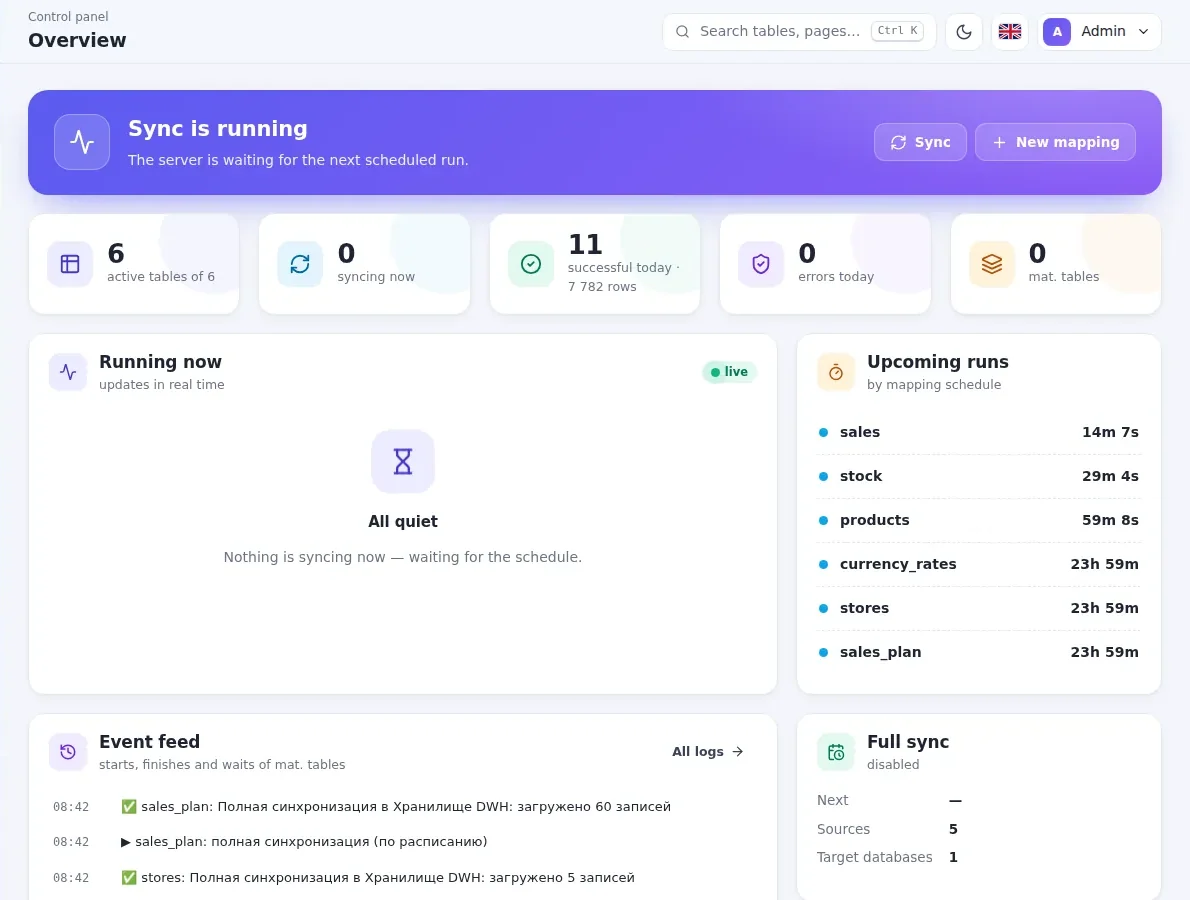
What you get
Readable names
The 1C 8.2/8.3 structure is read from the database automatically.
Only changes
Documents and catalogs by row version (_Version), registers by recorder.
1C untouched
The program only reads the 1C database. No configuration changes.
Ready data marts
Materialized tables: your SQL query → a ready table for reports, on schedule.
On schedule
Every 5 minutes, hourly or nightly. Network drop — automatic retry.
Telegram summary
A daily sync report every morning, errors — straight to Telegram.
You decide where the program and data live
Usually the program is installed on your side — data never leaves the company. Don't want to install anything? We'll run it all on our server.
In your company
- The program on your computer or Windows server
- Warehouse — your MS SQL Server or PostgreSQL
- Data never leaves the company
- Pay only for the key — there is a free plan
On our server
- The panel opens in a browser over HTTPS
- Your own PostgreSQL database — from 10 GB
- Updates and backups are on us
- Monthly billing: key and storage, auto-renew
Frequently asked questions
Does it work with 1C: Accounting, Trade Management, ERP, Retail?
Why not connect Power BI straight to the 1C database?
What if 1C is file-based?
Can I try it for free?
Other solutions
1C to SQL and PostgreSQL — automatically
ETL for 1C: catalogs, documents, tabular sections and registers are copied to MS SQL Server or PostgreSQL on schedule, changes only, with readable...
1СMS SQLPostgreSQLMySQL Learn more BILLZ · Power BIBILLZ analytics in Power BI and SQL
ETL Sync pulls sales, stock, products and stores from BILLZ via API into your SQL database. Power BI reports across the whole store network —...
BILLZPower BIMS SQLPostgreSQLTelegram Learn more Google Sheets · Excel · CSVGoogle Sheets and Excel — into SQL, by themselves
Sales plans, budgets and reference lists from Google Sheets, Excel and CSV go to MS SQL Server or PostgreSQL on schedule. Column types are...
Google SheetsExcelCSVMS SQLPostgreSQL Learn more ETL Sync serverNothing to install: the program and storage run with us
Don't want to install the program and a server yourself? We run ETL Sync and a PostgreSQL warehouse on our server: the panel opens in a browser,...
1СBILLZPostgreSQLHTTPSPower BI Learn moreLeave a request
We will call you back within a business day, show the program and help you install it.